Copy-Paste Karo

A clipboard manager for iPhone

Your clipboard,
organised.

Every link, address, email, phone number or note you copy — saved, searchable, and one tap away from any app you're in. Wrapped in colours you'll actually want to look at.

iPhone · iOS 16+

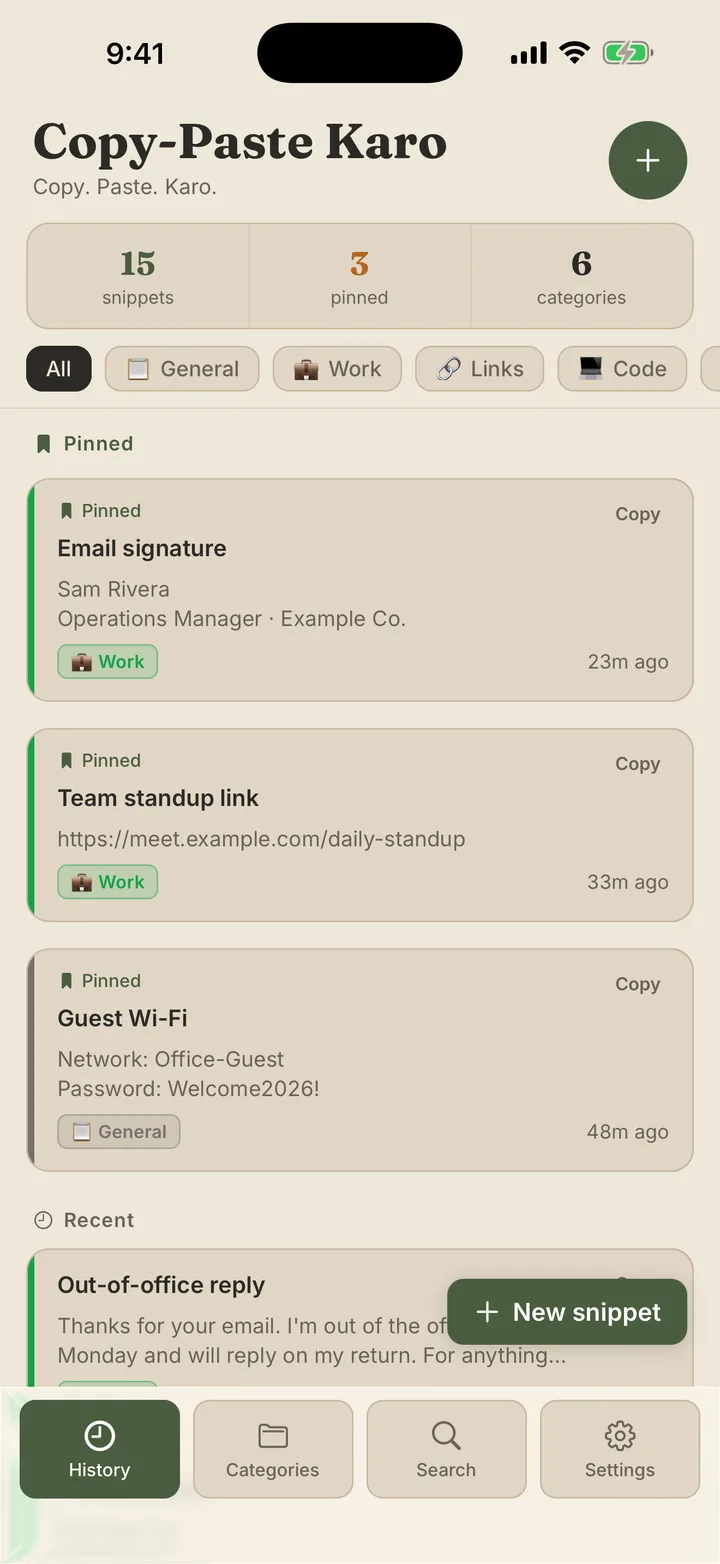
Copy-Paste Karo on iPhone 17 Pro — the History screen with a stack of saved snippets, held in one hand on a warm wooden desk.
5Themes × light/dark
80Snippets in your keyboard
0Trackers, ever
1Tap to paste anywhere

Built for the way
you actually copy.

Copy-Paste Karo saves what you copy and organises it automatically, keeping every snippet within reach in any app.

alex@example.comjust now
123 Market Street, Suite 1002m
+1 555 01345m
Wi-Fi: welcome20269m

Auto-capture

Open the app — it's already saved.

Latest clipboard content is captured silently the moment Copy-Paste Karo comes to the foreground. No paste-into-the-app step.
Full-text search

Find any line you've ever copied.

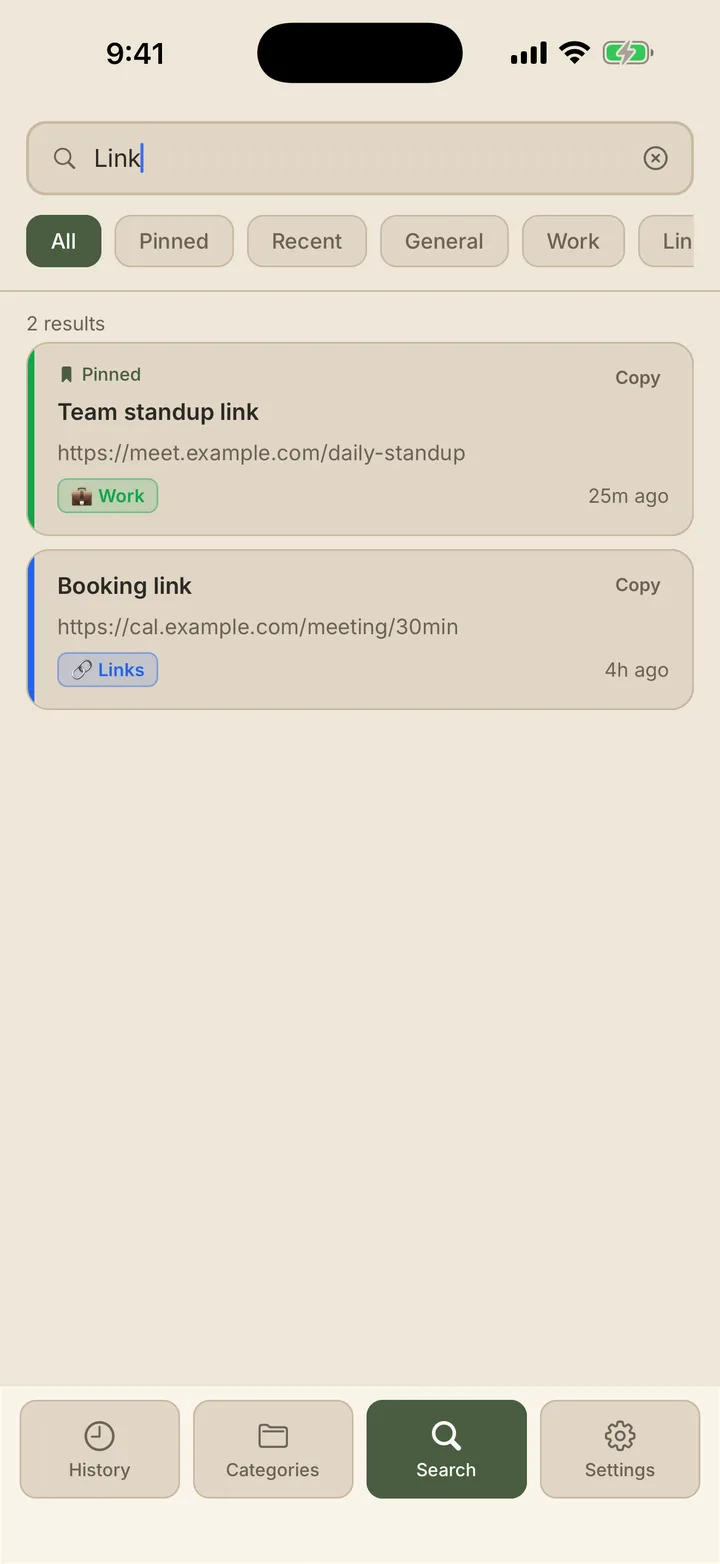
Searches titles and content with a 200ms debounce. Filter by pinned, recent, or category — alone or stacked.

Pinned · top

Pin what matters

Most-used snippets, always at the top.

Home address, meeting link, email signature — pinned items float to the top of the list and the keyboard.

Forest Ocean Clay Slate Berry

Five themes

Forest, Ocean, Clay, Slate, Berry.

Each theme has a hand-tuned light and dark variant — applied across the app and the keyboard extension instantly.

All Work Links Personal
alex@example.com2m
123 Market Street, Suite 1005m
+1 555 01349m

iPhone keyboard

Paste in any app, without switching.

The custom keyboard surfaces every saved snippet inside your messaging apps, mail, notes and browser — anywhere a keyboard appears.

0 Bytes leave your device

Privacy by design

No servers. No account. No tracking.

Snippets live in a local SQLite database. The keyboard reads them from a private App Group container — no network access.

Five themes.
Ten hand-tuned moods.

Every theme has a paired light and dark variant — colours chosen by hand so cards, text and accents stay balanced in both, across the whole app and the keyboard. Try them right here: tap a colour and the entire page comes with you.

Copy-Paste Karo shown in the selected theme

Forest

Sage green on warm cream. The default look, and the one most people keep: calm, readable, easy on the eyes.

Auto-previewing · tap a colour to wear it across the whole site

The keyboard

Your snippets, inside any app.

Enable Copy-Paste Karo's keyboard once in iOS Settings. From then on, every saved snippet is one tap away — pinned items first, category chips at the top, no need to switch apps or copy and paste between them.

The keyboard uses "Allow Full Access" for one job only: reading the snippets you've saved from a private, on-device container shared between the app and its keyboard. It has no network access, and never records or sends what you type.

See it on
your screen.

Colour-coded categories, a live theme picker, instant search — every screen is built to be glanced at and understood in a second.

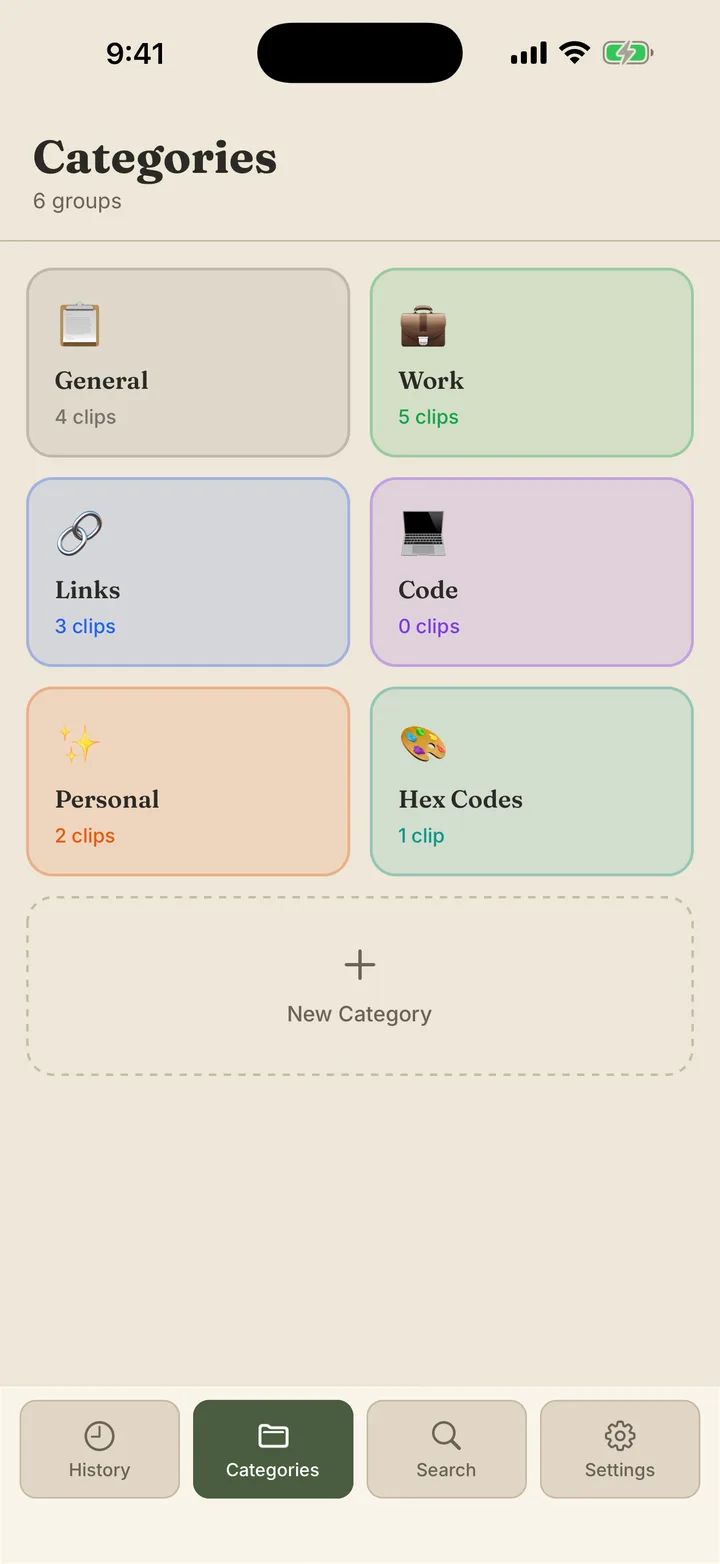
Categories screen — soft pastel tiles, each with an emoji and clip count

Categories

Sorted, and colourful.

Soft pastel tiles — General, Work, Links, Code, Personal — each with its own emoji and live clip count. The most colourful screen in the app.

Settings screen — Appearance row with five tappable theme dots

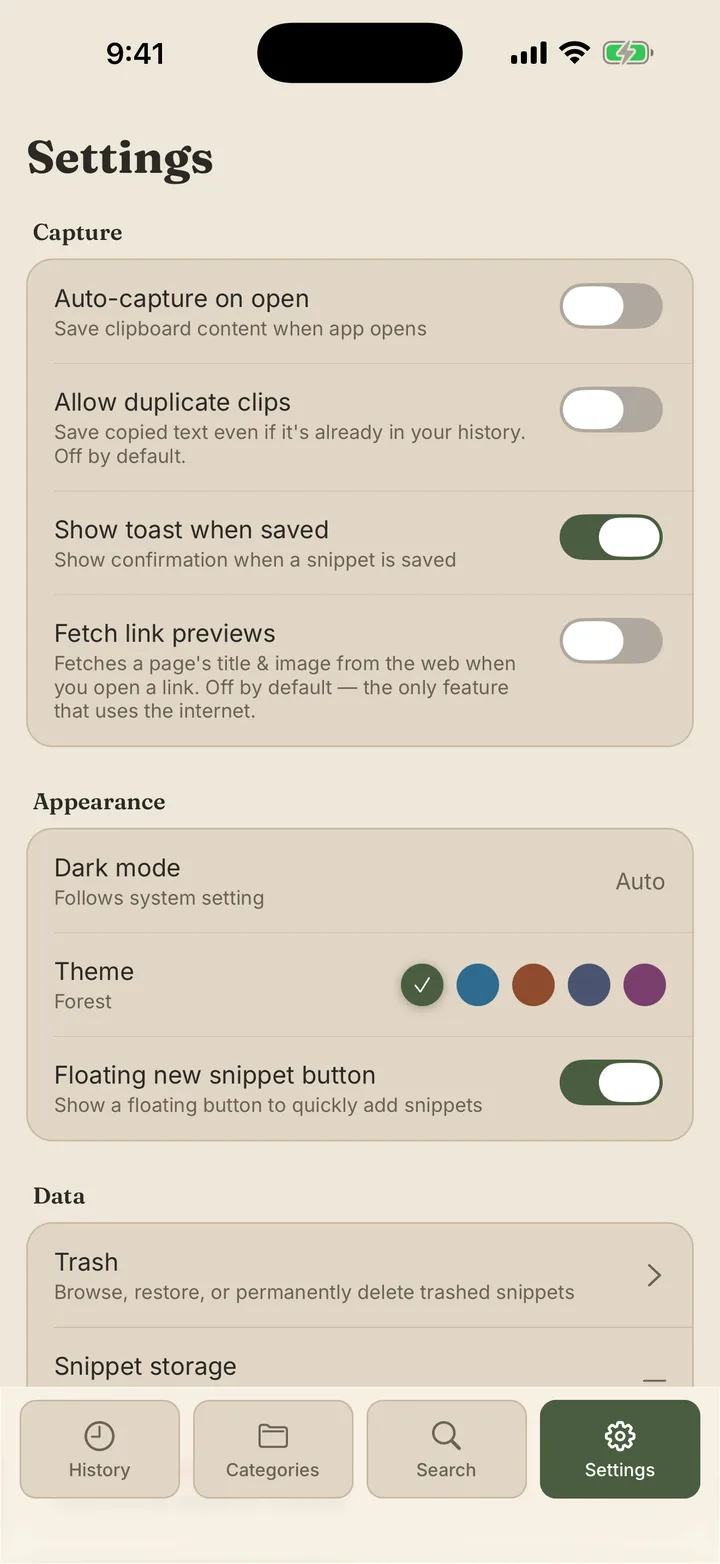
Settings

Switch theme in a tap.

The Appearance row shows all five accents as live dots with a tick on the active one. Dark mode follows the system, or you set it yourself.

Search screen — query with stacked filter chips and results

Search

Find it in milliseconds.

Type a word, stack filter chips — Pinned, Recent, by category. Every result keeps its category colour so scanning stays fast.

Every byte of your Copy-Paste Karo data lives on your device. No account, no servers, no tracking. Read the privacy policy

Need a hand

Reach a real person.

Bug reports, "how do I…", feature requests — drop us a line and we'll get back to you.

Read the fine print

Privacy policy.

Exactly what we store, where it lives, and everything we don't collect. Plain language, no legalese.